Today's rates
Enter one rate per metal each day; every purity follows.
Type one rate per metal each day, for its purest grade, and every other purity follows. Open Today's rates from the left menu.
The screenshots in this guide use sample account names and illustrative rates. They are for demonstration only, not customer or current-market data.
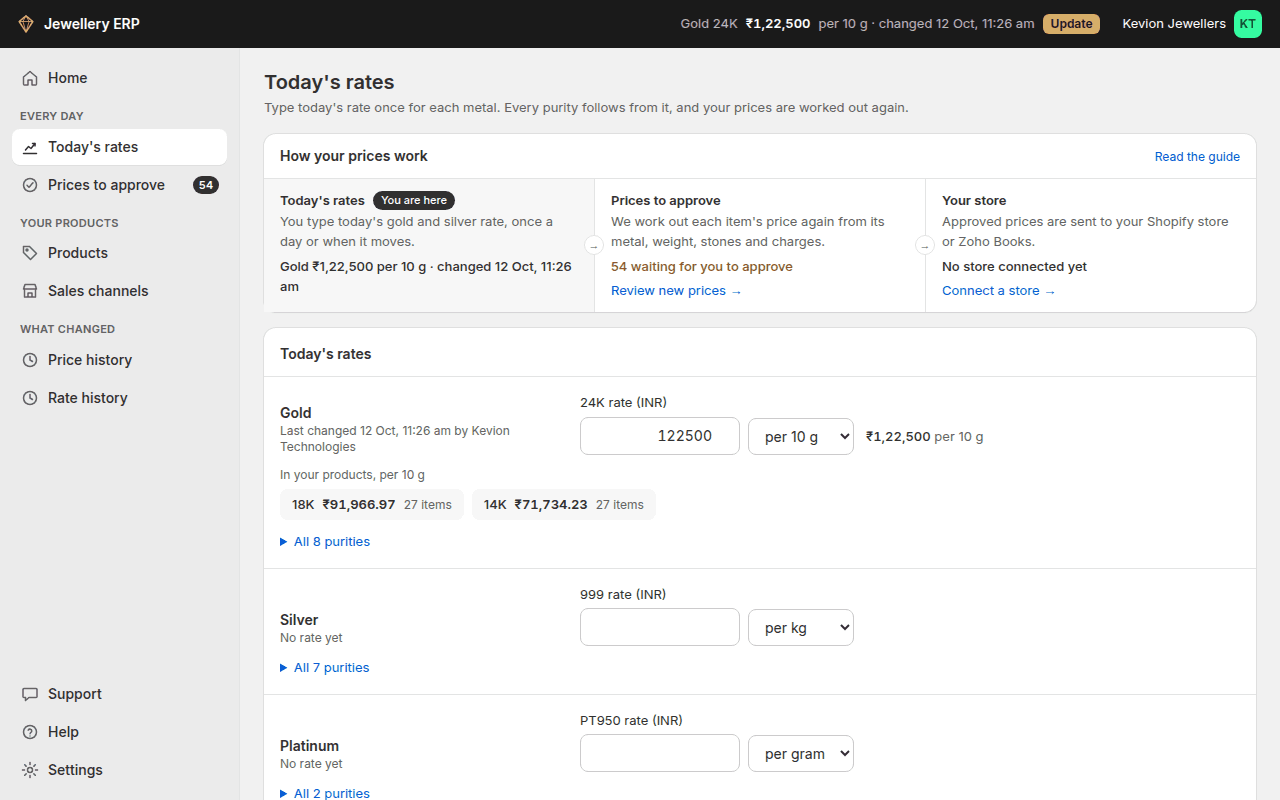
- Under Today's rates, type the rate for each metal you sell: 24K for gold, 999 for silver, PT950 for platinum. Leave a metal you don't sell empty.
- Check the unit next to the rate. Gold is per 10 g, silver per kg and platinum per gram, as the Indian market quotes them. You can change it.
- Next to the box, the rate you typed is shown back with commas, with how far it is from the saved rate. A missing or extra zero is easy to spot there.
- The purities your products use show under each metal and update as you type. All purities opens the full list.
- If your market's rate for a purity isn't the exact ratio, open All purities, tick Set my own rate and type it. It stays as typed until you untick it.
- Click Save rates. One button saves every metal.
Rate history
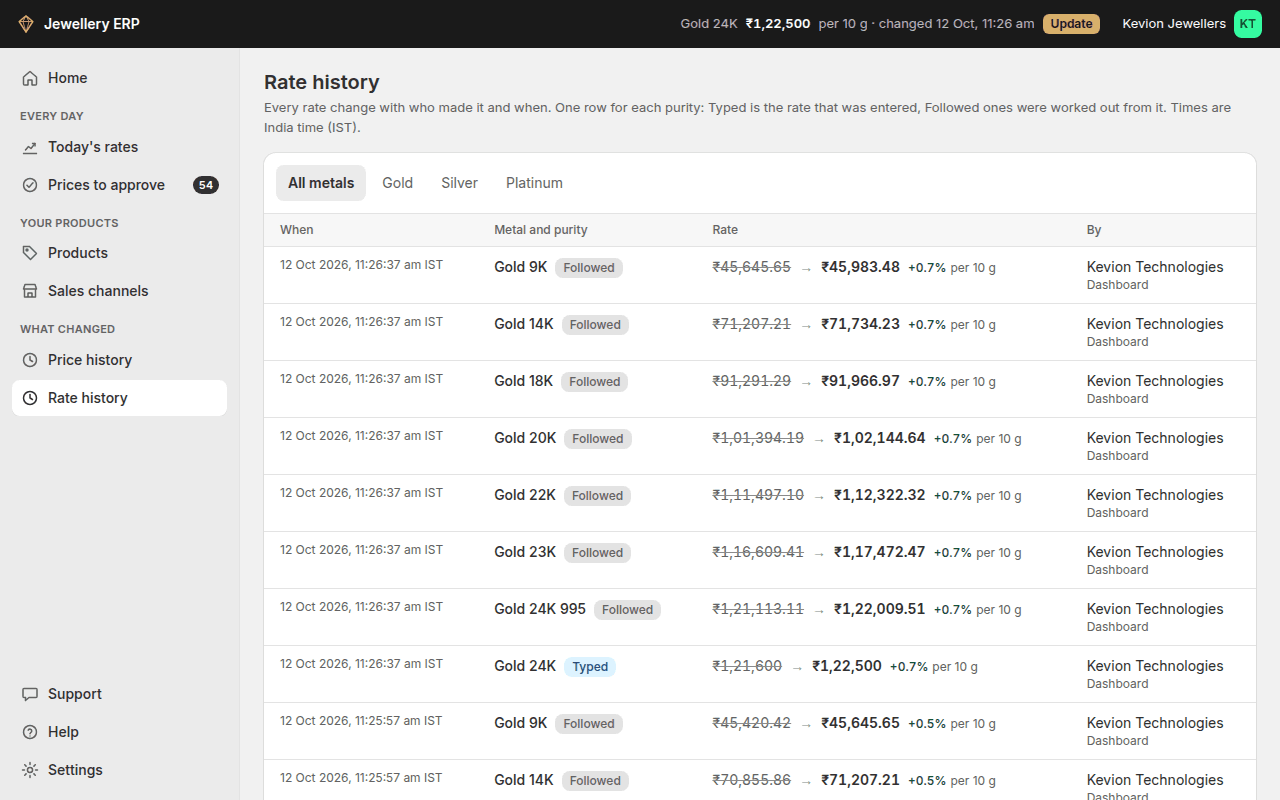
Every change is kept under Rate history in the menu: old rate → new rate, the % change, who changed it, whether it came from the dashboard or the API, and the time. Filter by metal at the top. Saving without a change records nothing. Rate history comes with Price history (Basic and higher plans); on a smaller plan the changes are still recorded and show after you upgrade.
Saving new rates works out the price again for every item made of that metal. See Prices to approve. Only the owner or an admin can change rates; staff can view them.